Profile
2-Step Verification using a third-party authenticator app
2-Step Verification offers a second layer of protection and helps prevent someone from accessing your account using a stolen or compromised password.
Add account security and verify your identity with a code generated by a third-party authenticator app when you log in to the secure site on ameriprise.com. Connect authenticator app now.
 |
 |
Frequently asked questions
What is a third-party authenticator app?
A third-party authenticator app is a software application that is installed on a smartphone, computer or tablet and used to securely verify your identity. Authenticator apps generate a unique, time sensitive code (typically refreshed every 30 seconds) required every time you log in to your account.
What are the benefits of using a third-party authenticator app for 2-Step Verification?
More secure – Authenticator app codes are generated based on the current time and a shared secret key, making them unique and available for one-time use only.
Readily available – Codes can be generated without internet connection or mobile service.
Convenient – Typically free and you can choose an authenticator app based on your personal security preference.
What third-party authenticator apps are available?
There are many authenticator apps to choose from. Here are a few examples:
- Twilio Authy
- Duo Mobile
- Google Authenticator
- Microsoft Authenticator
How do I turn on 2-Step Verification using a third-party authenticator app?
Before turning on 2-Step Verification, download a third-party authenticator app to your device or install the latest app updates to your mobile device or tablet.
- Log in to the secure site on ameriprise.com and go to 2-Step Verification in your Profile Security Settings.
- Choose Generate a code with a third-party authenticator app.
- Open your third-party authenticator app and add an account (instructions will vary by app).
- Using your device, scan the Ameriprise QR code or enter the secret key to register your account on the third-party authenticator app.
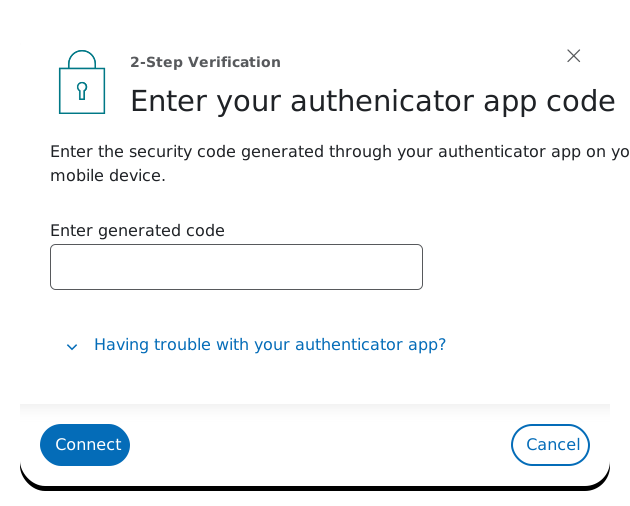
Once connected, a third-party authenticator code will be generated on your mobile device when you log in to access your account in the secure site on ameriprise.com. This code is required and must be entered to verify your identity and confirm account access.
How do I log in with 2-Step Verification using a third-party authenticator app?
Once 2-Step Verification is turned on, use the enrolled third-party authenticator app to generate a code on your device when you log in to access your account in the secure site on ameriprise.com. Entering a generated code is required to verify your identity.
What do I do if my device is lost or stolen?
If the device used for 2-Step Verification is lost or stolen, an account number or Client ID can be used for account access. Customer Service can also help with account access or permanently block a device from receiving notifications.